
Custom Search

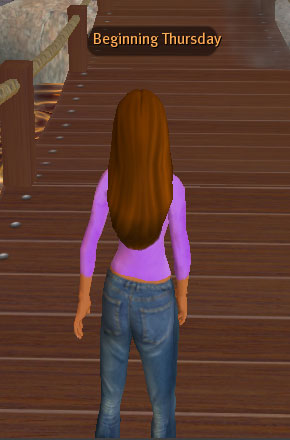
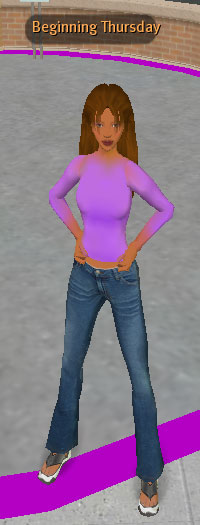
"Camera", in this case, refers to the "point of view" that you view the world from on your screen. The camera will follow whatever you have selected as its point of focus. By default, the point of focus is your avatar, so that wherever your avatar goes, the camera shall follow.
The camera can be moved around this point of focus through a couple of different means.
At the bottom of your screen, you should see a button labeled 'View'. Pressing this reveals a series of options.
The button with the little arrow circling around is the Orbit Zoom Pan view.
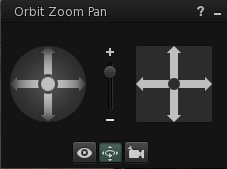
The set of arrows on the left (in the circle) is the orbit controls. The left and right arrows will move the camera around your point of focus and the up and down arrows will tilt the camera up over or down below it. The plus/minus slider in the middle will zoom the camera in and out. The arrows on the right (in the square) control the Pan view. This will send the camera up, down, left or right, depending on which arrow you press.
The little eyeball brings up a series of preset camera positions.
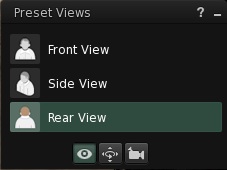
These have been helpfully labeled Front View, Side View and Rear View. However, these camera positions are actually relative to where the point of focus was last. If you've been messing about with the camera controls and then switch to these presets, you may find that Front View will end up being Rear View or Side View, depending on where the camera was pointing at the time. If this happens (indeed any time your camera winds up in a confusing place) simply press the Escape key, which should bring the point of focus back to just behind your avatar.
The little camera brings up the two Camera Modes.
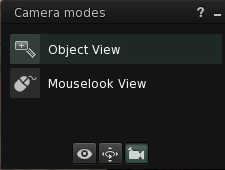
Object view will turn your pointer into a sort of magnifying glass with a plus on it and clicking on something in this mode will change the point of focus to what you click on. Clicking and dragging will also move the camera in, out or around, depending on which direction you drag. (Forward will go in and backward will zoom out. Left and right will move the camera around the point of focus.)
Mouselook makes the point of focus visible as a tiny square with a sort of crosshair space in the center. Move your mouse to move the crosshair and the camera will follow. Even though you can't see your avatar, you can still move, though the left and right keys will move your avatar from side to side rather than turning. Mouselook is principally used for shooting games, as the crosshairs signal to scripted objects where one's 'aim' is. You'll notice Mouselook also has the helpful reminder to "Press ESC to return to World View" at the bottom of the screen, as it can be triggered accidentally (by hitting the letter "M" when chat isn't active) and can be awfully disorienting if unexpected.
All of these menus are pretty much 'training wheels' to get you used to manipulating the camera. Once you get the hang of them, there are far simpler keyboard commands to work with. (As a matter of fact, if you use these keyboard controls while the Orbit Zoom Pan control is still on your screen, you'll see the corresponding controls highlight as if you're clicking them!)
PS--those of you with rotating wheelie things on your mouses will find that the wheelie will also serve to zoom in and out. I can't tell you much about that, 'cos I'm a MacBook person, but there you are.
So, now you can see your avatar from all possible angles. Pretty neat, huh? But what if you want to focus your camera on something else?
The point of focus can be changed at any time (or even back to yourself) by Alt-clicking on whatever you want to look at. So if you want to look at a sign, you can Alt-click on the sign and angle the camera so you can see it clearly. If you want to observe a statue, you can Alt-click on the statue and look all around it. You can even Alt-click on other avatars in your view, though this can be very disorienting if they get up and walk somewhere else, as the camera will follow right after them. Once again, if your camera gets dragged somewhere and you need to retrieve it, hitting Escape will bring the point of focus back to you.
If you want even finer focus of your camera, you can combine the key combinations mentioned above with clicking and dragging.